 tsquare
Flow
flow · Canvas · All components
An arrow between two elements or screens, named with #id. Write each flow on its own line after the screens, indented like a screen (not inside one): flow signin -> home "Tap Sign in".
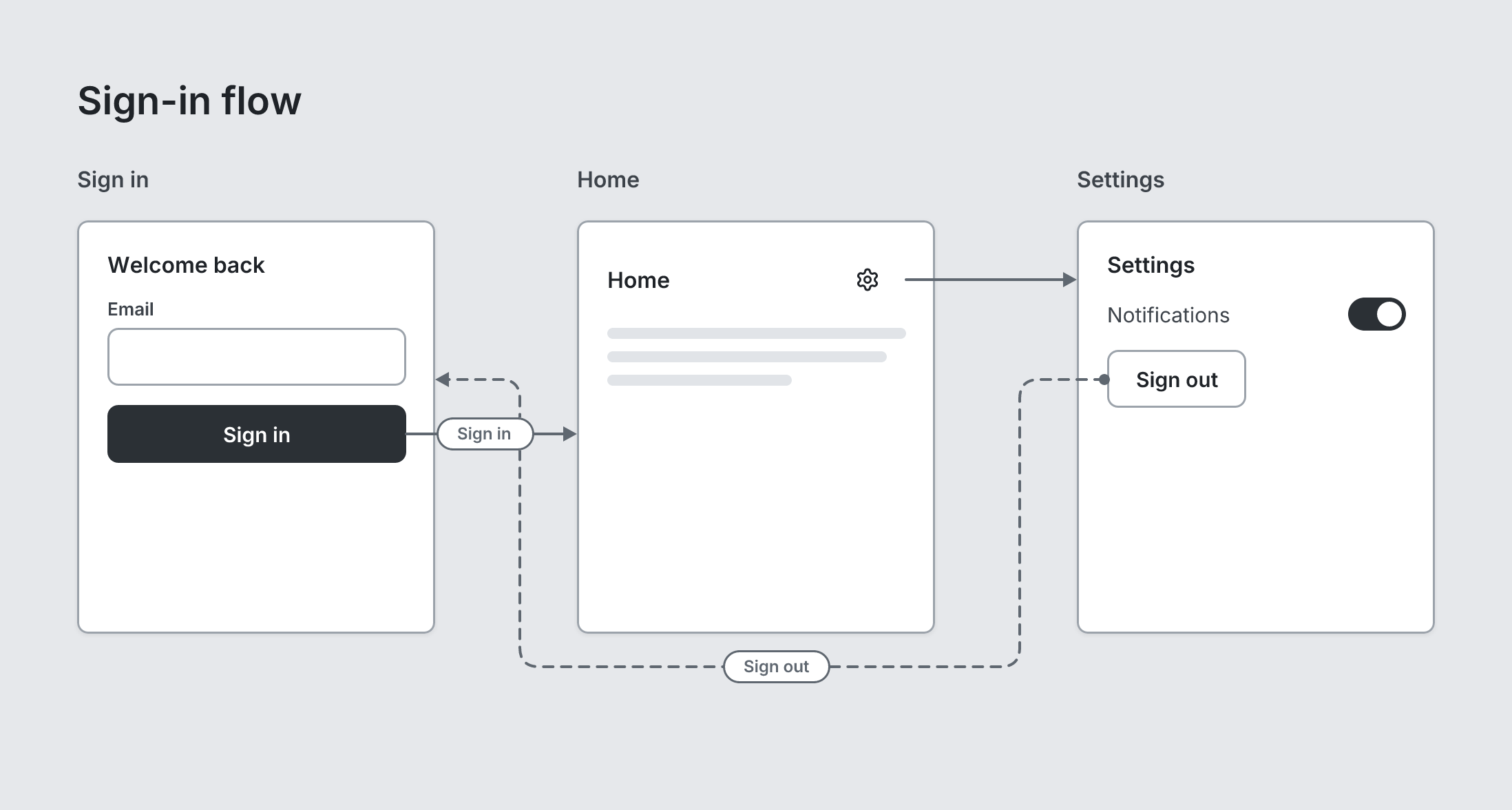
board "Sign-in flow"
  screen custom "Sign in" width=260 height=300 #signin
    heading "Welcome back" level=3
    input "Email"
    button primary "Sign in" fullWidth #submit
  screen custom "Home" width=260 height=300 #home
    stack row justify=between align=center
      heading "Home" level=3
      button ghost leadingIcon=settings #gear
    text lines=3
  screen custom "Settings" width=260 height=300 #settings
    heading "Settings" level=3
    toggle "Notifications" on
    button secondary "Sign out" #signout
  flow submit -> home "Sign in"
  flow gear -> settings
  flow signout -> signin "Sign out" dashed start=dot
Writing it
- After the two ends, a quoted string sets label:
flow submit -> home "…". - Bare words set line:
rounded,hard,curved,straight. none,arrow,dot,circle,barare options of start and end, so write which one you mean:start=noneorend=none.dashedturns dashed on;no-dashedturns it off.- Anything else is written
key=value. - Has no children.
Props
| Prop | Values | Notes |
|---|---|---|
from (required) |
string | The id where the arrow starts (written before ->) |
to (required) |
string | The id it points at (written after ->) |
label (main text) |
string | |
start |
none, arrow, dot, circle, bar | Default none |
end |
none, arrow, dot, circle, bar | Default arrow |
line |
rounded, hard, curved, straight | Default rounded: right angles with rounded corners |
dashed |
boolean | |
color |
string | Default gray. blue, indigo, violet, pink, red, orange, green, teal, a hex color, or accent for the board's |
tsquare 0.9.0 · View this page on GitHub